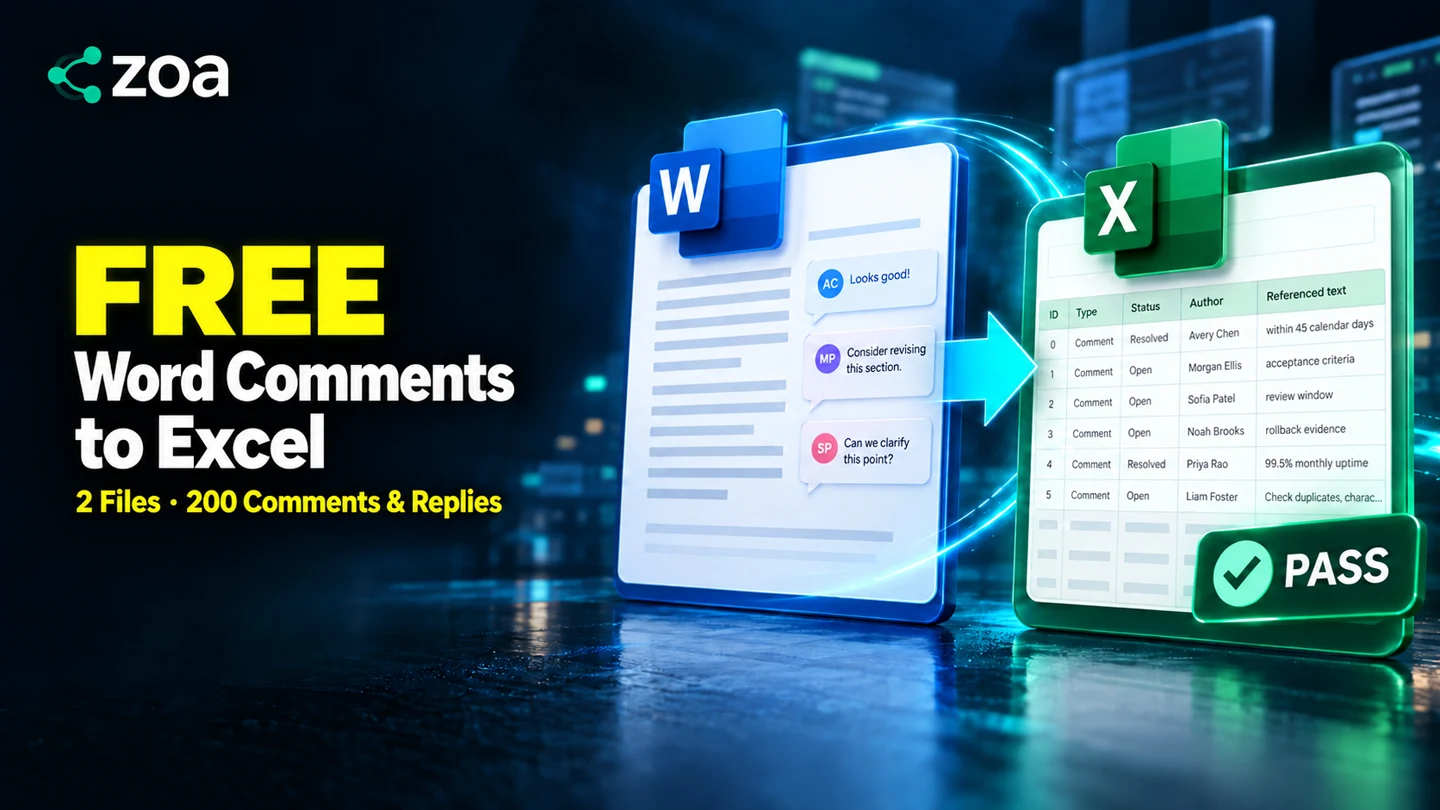
Export Word comments to Excel:
200 records, 2,600 field values checked
Too many Word comments to copy by hand? See the spreadsheet first, then follow the upload and export steps. The second half checks two DOCX files against their exported XLSX files, including replies, authors, dates, status and quoted text. The Python verifier runs independently of CZOA.
7 min 39 sec · English narration with Chinese captions. Use the chapter buttons above to jump to a step.
1. Test results
| Test file | Comments | Replies | Resolved | Open | Field values | Result |
|---|---|---|---|---|---|---|
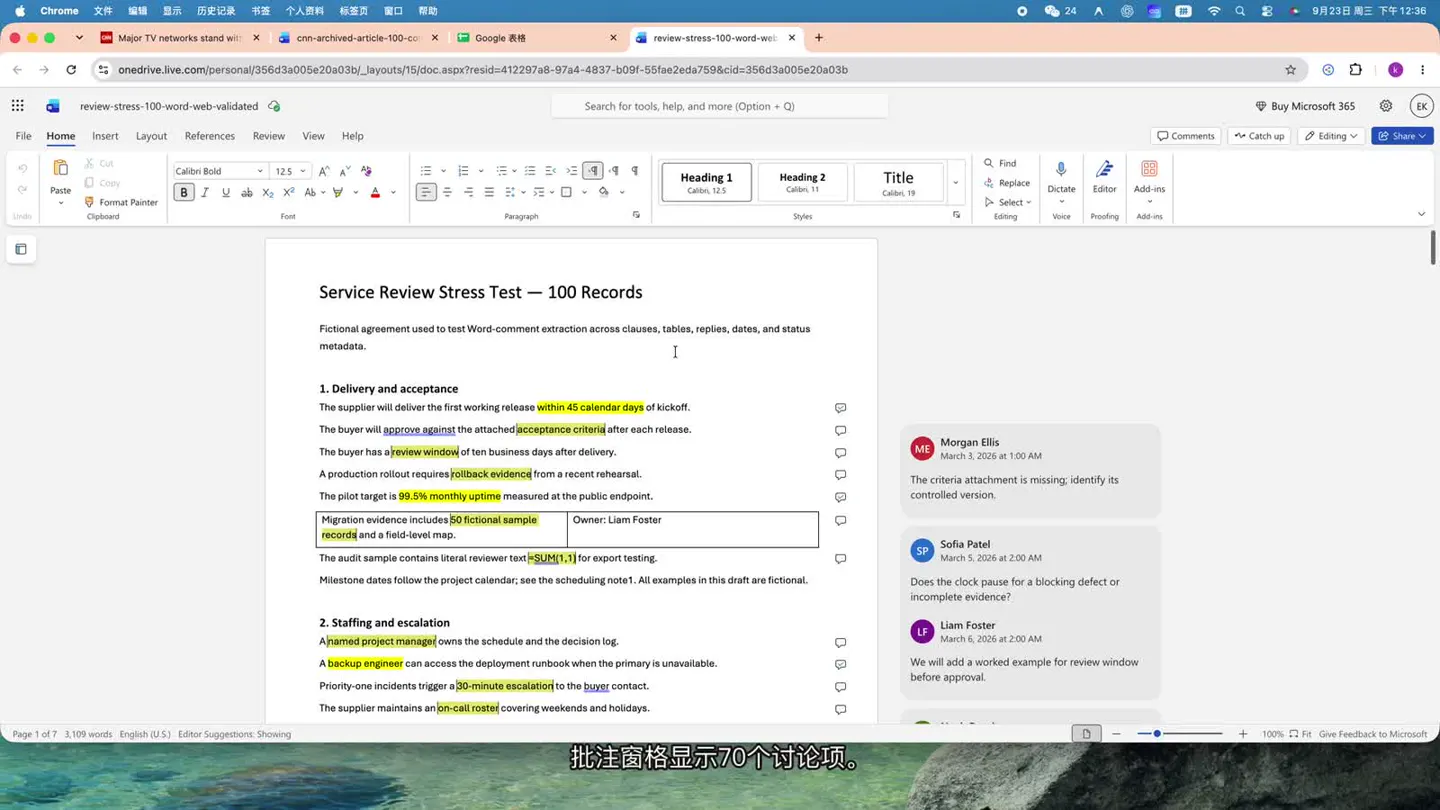
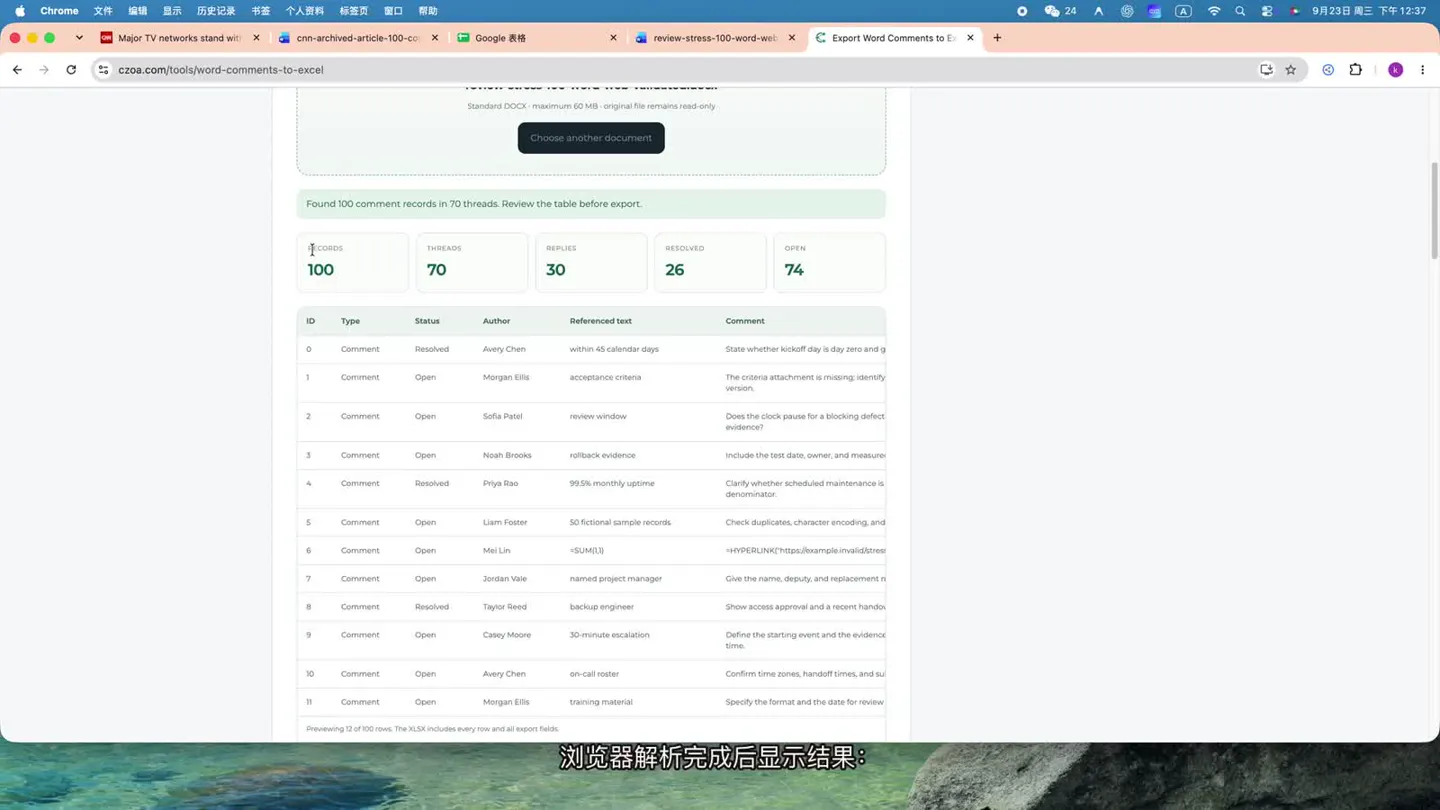
| Stress-test document | 70 | 30 | 26 | 74 | 1,300 | PASS |
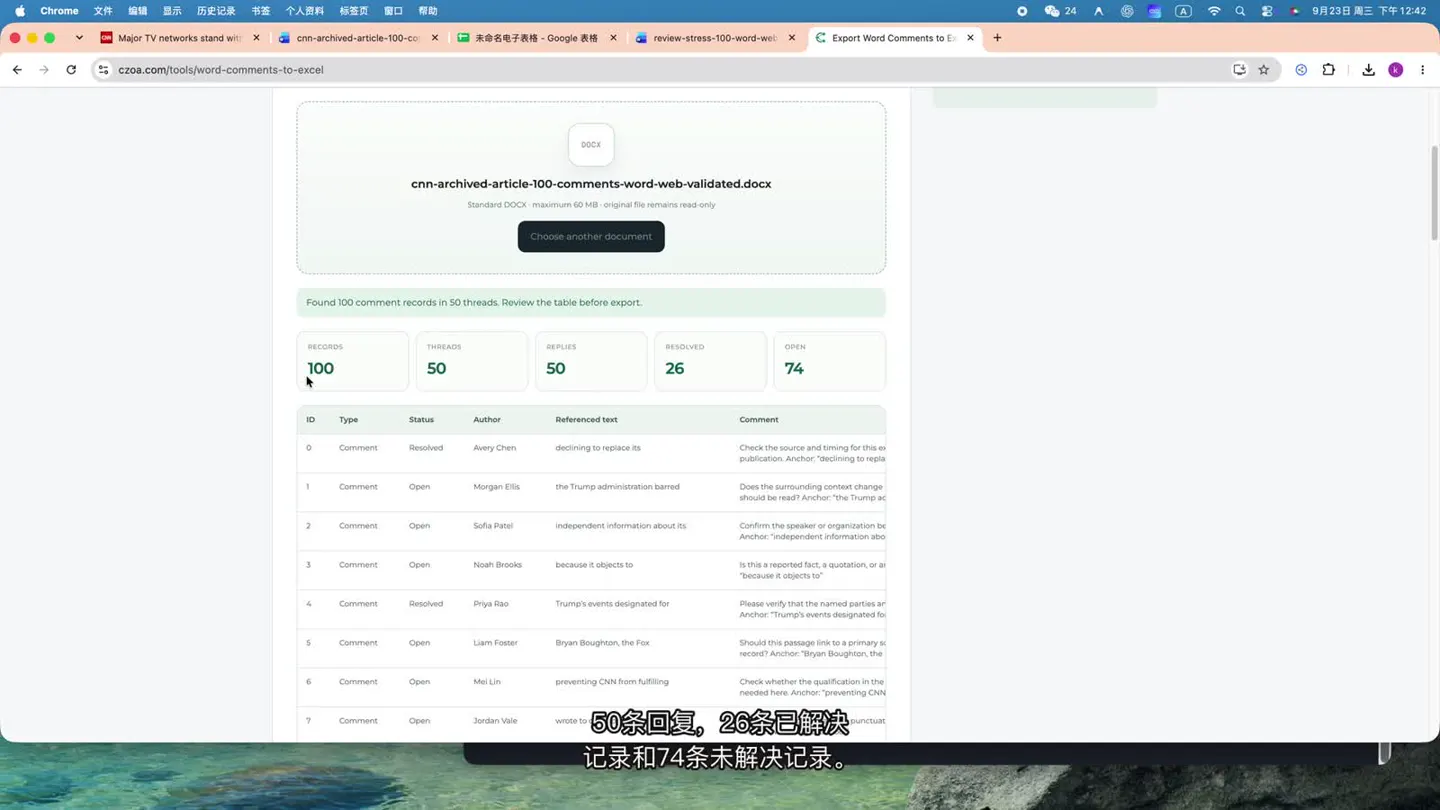
| CNN article document | 50 | 50 | 26 | 74 | 1,300 | PASS |
| Total | 120 | 80 | 52 | 148 | 2,600 | Both passed |
All 200 records and 2,600 field values matched across the two DOCX/XLSX pairs. No executable spreadsheet formulas were created from comment text.
These results cover only the two supplied DOCX files, their corresponding XLSX exports and the hashes listed below. They do not establish correctness for every possible DOCX file.
2. Download both sets of test files
Test 1: a document with varied review content
This document includes paragraphs, tables, highlighted text, multiple reviewers, comments, replies, resolved and open threads, and comment text beginning with = or hyperlink expressions.
Test 2: a CNN article document
This document contains a long article, images, links, quotations, 50 comments and 50 replies. One useful checkpoint near the end of the article is been updated with additional. The final spreadsheet row should retain this quoted text and its corresponding reply.
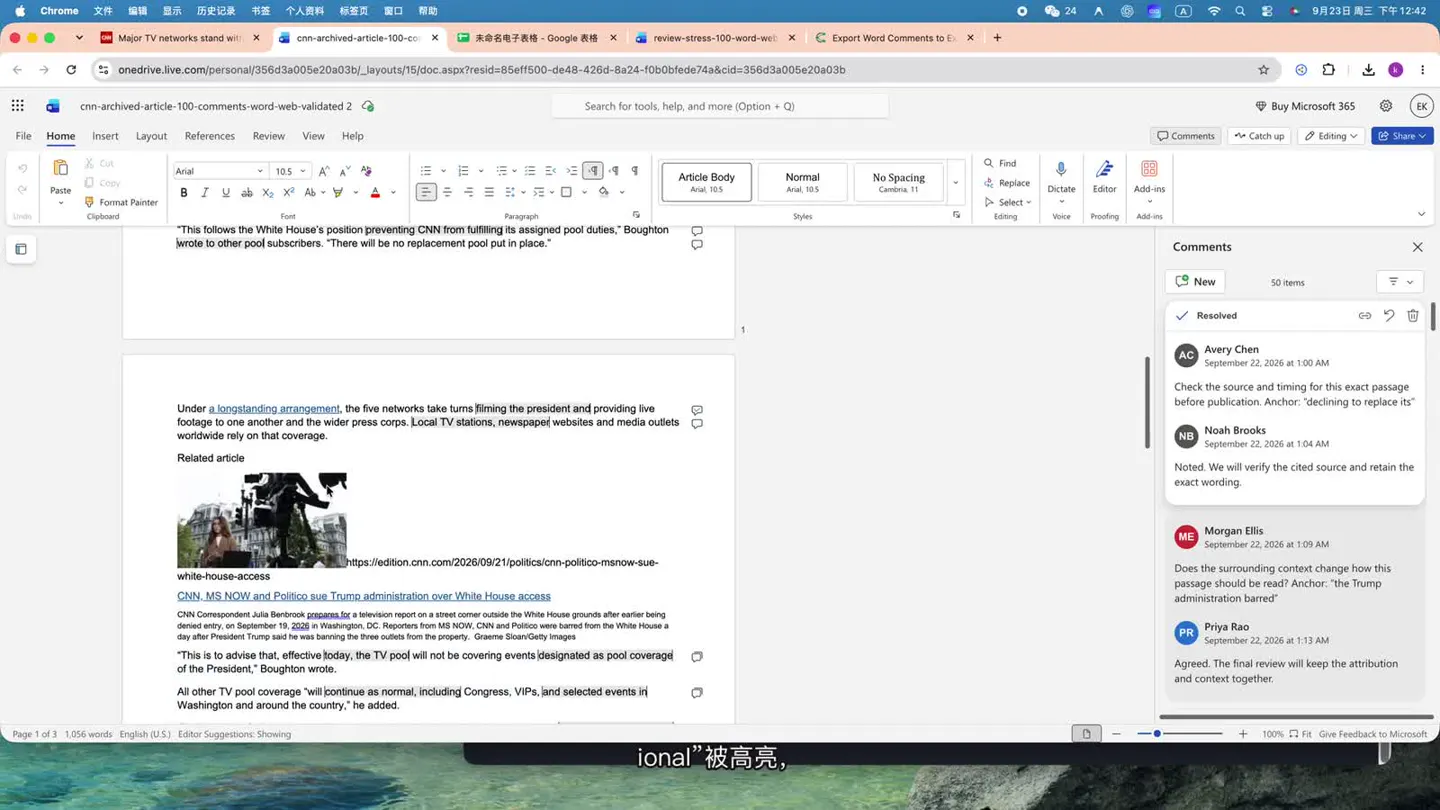
The source article is from CNN. The attachments are used to verify the document-processing workflow; article copyright belongs to its original publisher.
An independent verifier
Download verify_export_independent.py. It uses only the Python standard library, so no pip install is needed. It reads DOCX and XLSX as ZIP/OOXML packages, without calling CZOA code or consulting a prewritten answer list.
3. Export an XLSX with CZOA
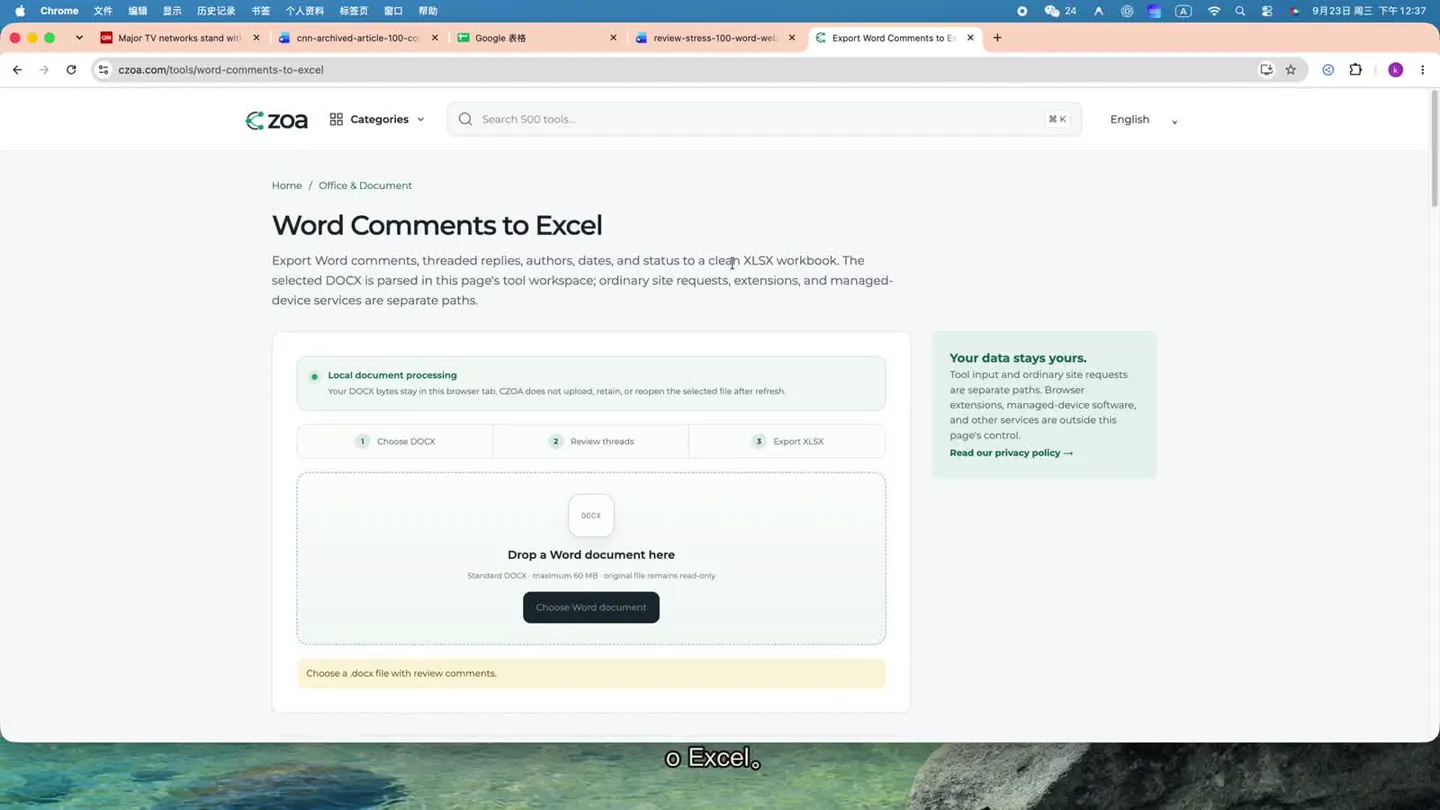
- Open CZOA Word Comments to Excel.
- Click Choose DOCX and select a test DOCX file.
- Wait for the browser to finish parsing the file.
- Check the Records, Threads, Replies, Resolved and Open totals.
- Click Download XLSX.
- Repeat with the second DOCX file.
Show the first file’s totals
Show the second file’s totals
4. macOS / Linux: verification commands
Download and unzip the full test kit. The commands below assume the extracted folder is at ~/Downloads/czoa-word-comments.
Full macOS / Linux commands
cd ~/Downloads/czoa-word-comments
python3 --version
ls -lh

shasum -a 256 \
  review-stress-100-word-web-validated.docx \
  review-stress-100-word-web-validated_comments.xlsx \
  cnn-archived-article-100-comments-word-web-validated.docx \
  cnn-archived-article-100-comments-word-web-validated_comments.xlsx \
  verify_export_independent.py

set -euo pipefail

python3 verify_export_independent.py \
  review-stress-100-word-web-validated.docx \
  review-stress-100-word-web-validated_comments.xlsx

python3 verify_export_independent.py \
  cnn-archived-article-100-comments-word-web-validated.docx \
  cnn-archived-article-100-comments-word-web-validated_comments.xlsx

echo "BOTH TESTS PASSED"
Use Python 3.9 or later. set -euo pipefail stops execution if either verification fails, so BOTH TESTS PASSED appears only after both checks exit with code 0.
SHA-256 hashes for all five files
9cf7e4929e42139ac27c3ba8486d938586540d3be76177314f4477b720715caa  review-stress-100-word-web-validated.docx
96260111fe9d1cd1b5aba816277fc52ede47d4bf3c50e8420b5fa42ceb75cc3c  review-stress-100-word-web-validated_comments.xlsx
dd757f241ebf960ff69de109e9db2dd4c8072b90f8c8f268742faf013149e893  cnn-archived-article-100-comments-word-web-validated.docx
53af5d36d31bcd0f46b532f3a45af6a083bab8a3d2d02ed61a01e3e770c1c880  cnn-archived-article-100-comments-word-web-validated_comments.xlsx
4e730f5a077b0b205635f08b03581d9888d386aed1ad852b41b842cac4df7c31  verify_export_independent.py
Expected output for the first file
DOCX SHA256: 9cf7e4929e42139ac27c3ba8486d938586540d3be76177314f4477b720715caa
XLSX SHA256: 96260111fe9d1cd1b5aba816277fc52ede47d4bf3c50e8420b5fa42ceb75cc3c
DOCX comment records: 100; XLSX rows: 100
DOCX types: {'Comment': 70, 'Reply': 30}
DOCX status: {'Resolved': 26, 'Open': 74}
Fields compared: 1300
PASS: all source comments and all 13 exported fields match; no formulas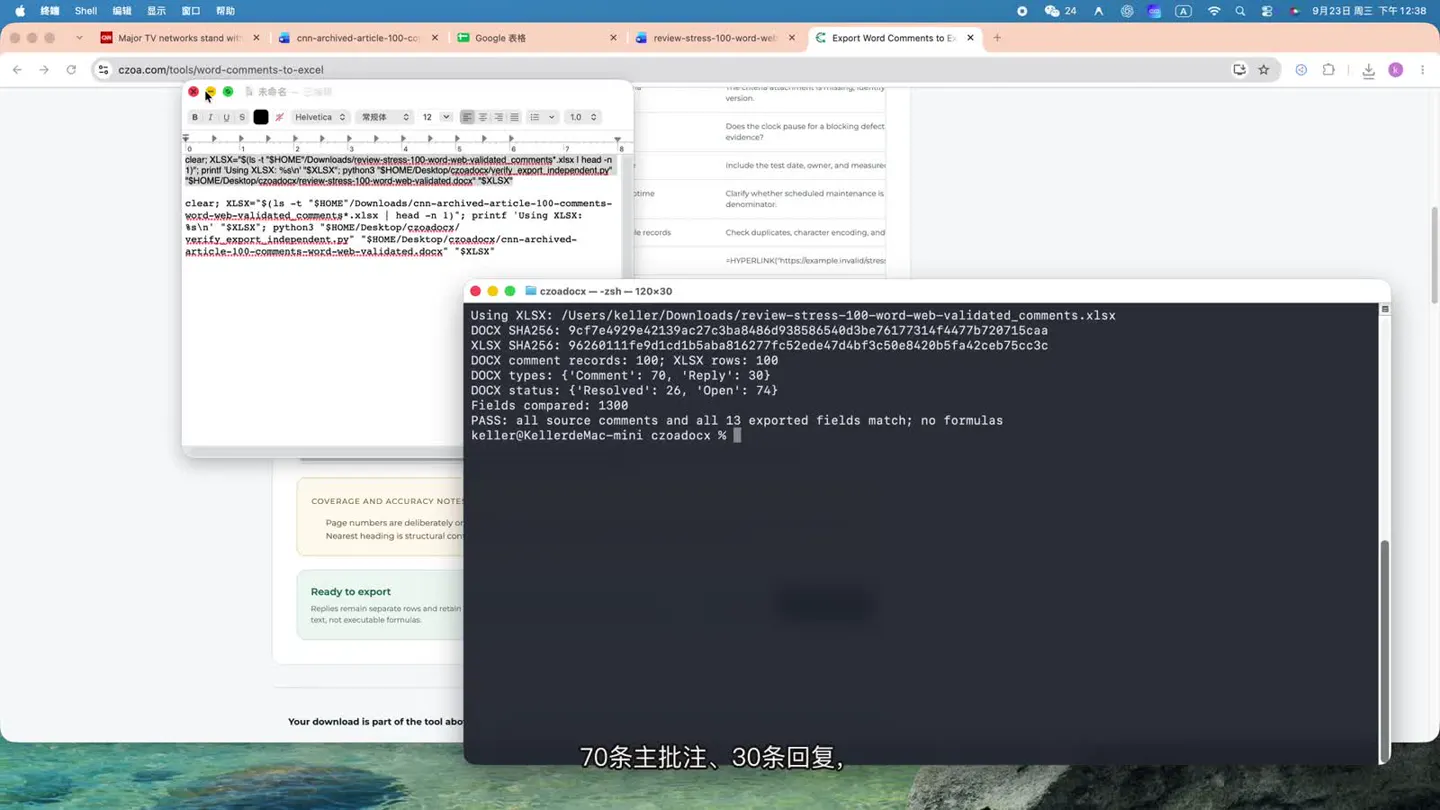
Expected output for the second file
DOCX SHA256: dd757f241ebf960ff69de109e9db2dd4c8072b90f8c8f268742faf013149e893
XLSX SHA256: 53af5d36d31bcd0f46b532f3a45af6a083bab8a3d2d02ed61a01e3e770c1c880
DOCX comment records: 100; XLSX rows: 100
DOCX types: {'Comment': 50, 'Reply': 50}
DOCX status: {'Resolved': 26, 'Open': 74}
Fields compared: 1300
PASS: all source comments and all 13 exported fields match; no formulas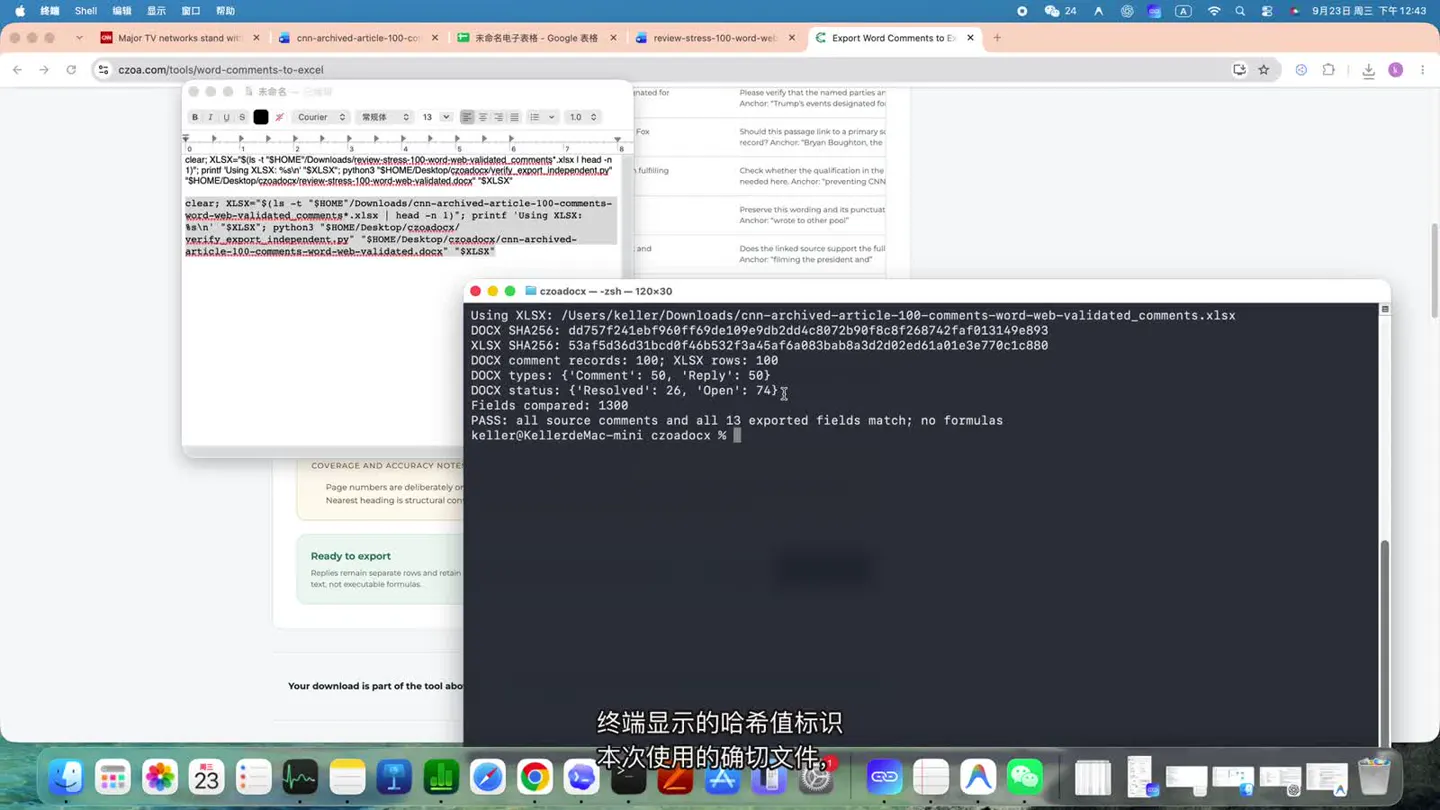
Check an exit code separately
python3 verify_export_independent.py \
  review-stress-100-word-web-validated.docx \
  review-stress-100-word-web-validated_comments.xlsx
echo $?0: all supported fields matched; no formula cells were found.1: a mismatch, missing or extra record, formula cell, or missing required DOCX metadata was found.
5. Windows PowerShell: verification commands
cd "$HOME\Downloads\czoa-word-comments"
py --version
Get-ChildItem

Get-FileHash .\*.docx, .\*.xlsx, .\verify_export_independent.py -Algorithm SHA256

py .\verify_export_independent.py `
  .\review-stress-100-word-web-validated.docx `
  .\review-stress-100-word-web-validated_comments.xlsx
if ($LASTEXITCODE -ne 0) { exit $LASTEXITCODE }

py .\verify_export_independent.py `
  .\cnn-archived-article-100-comments-word-web-validated.docx `
  .\cnn-archived-article-100-comments-word-web-validated_comments.xlsx
if ($LASTEXITCODE -ne 0) { exit $LASTEXITCODE }

Write-Output "BOTH TESTS PASSED"
6. What does the script compare?
The script compares 13 fields for every record:
| 1. Comment ID | 2. Thread ID | 3. Type |
| 4. Parent Comment ID | 5. Status | 6. Author |
| 7. Initials | 8. Date (UTC) | 9. Document area |
| 10. Nearest heading | 11. Paragraph | 12. Referenced text |
| 13. Comment text | ||
It also checks total record counts, missing or extra Comment IDs, parent and thread relationships, each reply’s own author and date, the root thread’s resolved status, formula cells, duplicate ZIP entries, missing OOXML parts and unclosed comment anchors.
7. Why Word’s comment pane is not enough
Word for the web groups a comment and its replies into a discussion thread. Its thread count therefore differs from the number of exported rows. The first file has 70 threads and 100 exported rows; the second has 50 threads and 100 exported rows.
A visual check still helps. The second file’s final record retains been updated with additional and the corresponding review message, making it easy to compare with the last thread in Word.
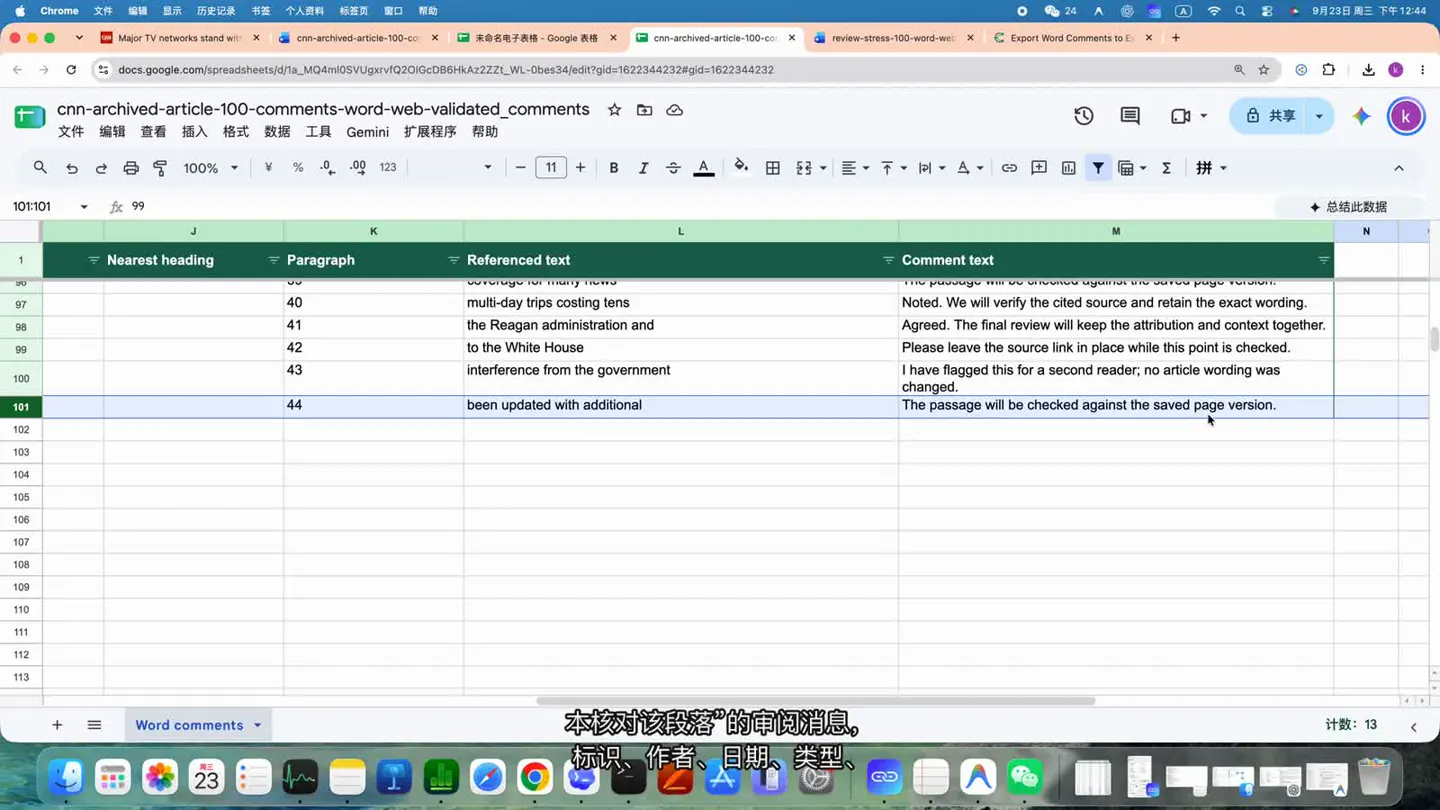
A visual inspection checks the records you actually see. The PASS result here comes from a programmatic comparison of all 200 records and 2,600 field values.
8. Limitations
- The verifier checks comment data saved inside the DOCX package. It cannot recover content that exists only in cloud activity history.
- Word page numbers depend on its layout engine. Browser XML parsing cannot reliably reproduce them, so page numbers are not included in the export.
- Nearest heading is structural context inferred from paragraph styles, not a coordinate on a Word page.
- Track Changes and Comments are separate data. This test does not convert tracked changes into comments.
- The results apply to the two supplied DOCX/XLSX pairs and their listed hashes.
Both tests matched: source record counts equaled exported row counts, all 13 fields matched record by record, reply relationships and status were preserved, and comment text did not become formulas. You can run the same verifier against your own DOCX and CZOA export.
Screenshots, recordings and verification results come from local tests on September 23, 2026. The tutorial is played through YouTube; the downloadable test files are unchanged. The result-first video edit and this English guide were published on September 24, 2026.
Tool: CZOA Word Comments to Excel · Source article: CNN